
What is an MCP (Model Context Protocol) data format ?
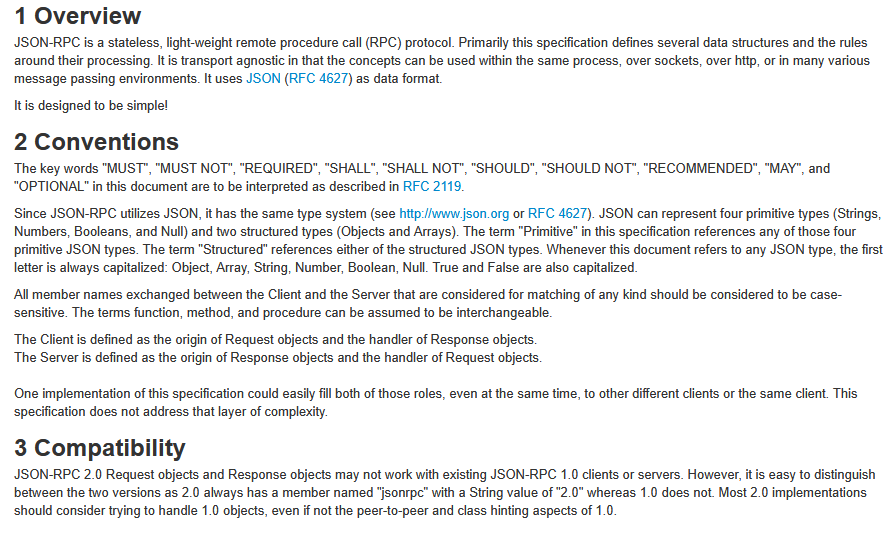
A regular MCP (Model Context Protocol) format follows JSON-RPC 2.0 encoded in UTF-8 standard. The format is design to easily integrate different tools used with AI and LLMS like Context7 ( used by visual code or intellij). Servers like Context7 are designed to integrate real-time, version-specific documentation and code examples directly into AI or coding assistant prompts to improve code accuracy and developer productivity.
MCP naming conventions
MCP naming conventions are usually : use lowercase letters, hyphens, or camelCase without spaces or special characters.
Example filenames :
- <
library-name>-docs.md context7-docs.mdmcp-documentation-<for-something>.mdvue3js-middleware-<my scripts>-docs.md
The folder structure may organize docs by library by topic, component or any other phrase or category:
- vue3js/table/table-script.js
- vue3js/colors/colors.scss
- vue3js/typography/typography_header_styles.scss
MCP documentation file format
- The format is usually a Markdown
*.md file or JSON, containing structured documentation and code examples. - Markdown is preferred for readability and compatibility with many MCP clients (it uses RFC 7763 ). Many editors has plugins that support a nice user friendly rendering of those files.
- Content includes:
- Clear section headers (
#,##,###), - Code blocks fenced by triple backticks (“`) with language specifiers such as
js,ts,bash, - Descriptions, usage examples, and configuration steps.
- Clear section headers (

MCP Context7 documentation list
Go to https://context7.com/ and click on any library like https://context7.com/websites/chartjs. Follow the examples and good luck on creating Your own docs !
Example markdown mcp documentation
# Firebase Authentication Module

## Overview

This module provides a simple example of how to authenticate a user with **Firebase Authentication** using email and password.
It can be integrated as part of an MCP (Model Context Protocol) service for use in LLM servers like **Context7**.

## Purpose

Used to demonstrate user authentication flow that can be programmatically called from an LLM or tool execution environment.

---

## MCP Metadata

- **MCP Version:** 1.0.0
- **Module ID:** firebase-auth-basic
- **Language:** JavaScript (ESM)
- **Runtime:** Node.js 18+
- **Dependencies:**
  - `firebase` (v10+)
- **Tags:** `authentication`, `firebase`, `llm-server`, `context7`

---

## API

### Input

| Field | Type | Description |
|--------|------|-------------|
| `email` | string | User email address |
| `password` | string | User password |

### Output

| Field | Type | Description |
|--------|------|-------------|
| `user` | object | Firebase user object if authentication succeeds |
| `error` | string | Error message if authentication fails |

---

## Example Usage

```js
import { initializeApp } from 'firebase/app';
import { getAuth, signInWithEmailAndPassword } from 'firebase/auth';

// === MCP Service: Firebase Auth Basic ===
// @module firebase-auth-basic
// @description Authenticate a user with Firebase using email/password.
// @context7-compatible

const firebaseConfig = {
  apiKey: process.env.FIREBASE_API_KEY,
  authDomain: 'your-project.firebaseapp.com',
  projectId: 'your-project-id',
};

const app = initializeApp(firebaseConfig);
const auth = getAuth(app);

/**
 * Authenticate a user via Firebase
 * @param {string} email - User email
 * @param {string} password - User password
 * @returns {Promise<object>} - Returns user data or error object
 */
export async function authenticateUser(email, password) {
  try {
    const userCredential = await signInWithEmailAndPassword(auth, email, password);
    const user = userCredential.user;

    return {
      user: {
        uid: user.uid,
        email: user.email,
      },
      error: null,
    };
  } catch (err) {
    return {
      user: null,
      error: err.message,
    };
  }
}