-
Configuring my own internet – router on a stick with Netia and MikroTik.
Configuring my own router for internet was pretty… hectic. The whole issue is that ican`t be at two places at the same time. Some of us nerds like to have stuff on cable instead on infitnite packets floating around. Since i am paying for 1gbps i would like to have 1gbps . Even though i do had around 300 mbps on my wifi (v6) it is not the point. It just wasn`t right. My old laptop barely got any signal if i went to my working space. Laptop`s wifi was slower and the signal falloff was drastic, and it got lost from time to time. On my desktop too. Developers…
-
Improve your AI instruction on the fly …
Improve your AI instruction on the fly is easily doable with a simple set of generic instructions. Start as always with something basic, nothing fancy. Then move forward keeping in mind my favorite principle “First get it work, then make it better“. This will improve your instructions for any llm on its own. Below an example that works for me. Especially when i tell my LLmem that it is a nice soluion, i like it and good job. Instruction example That`s all folks ! Improve your AI instruction on the fly is nothing more then a feedback loop that is computed every time. Remember to keep overall instructions not too…
-
How to make an icon for 15 cents ?
How to make an icon for 15 cents ? Use AI. Try locally something like https://huggingface.co/models?pipeline_tag=text-to-image&sort=trending&search=ideogram This is how i made an icon for my browser extention and it cost me 15 cents. In Poland i wouldn`t buy any kind of ice cream for that and here… i have myself a nice icon for my browser extension / plugin. Best way to generate an SVG logo, for me, personally. Just use the openrouter chat option and provide some inputs, leave eveyrthing on auto. Why SVG? Cause You can easily edit it in any txt editor. It is liightweight. Scales. Cause it is text and not binary data. You can remove…
-
Semantic collapse in RAGs by Stanford
Semantic collapse in RAGs by Stanford provides a way to keep on those MCP servers alive. After all … how do you know that you’re actually learning more, and not forgetting even more than you learn?You test ? 🙂 Will be the first one when i see an MCP server tested around the clock for proper, deterministic return values. Stanfors is the best -> dho.stanford.edu/wp-content/uploads/Legal_RAG_Hallucinations.pdf Semantics asks what an expression means. Logic asks whether an argument is valid or whether a statement follows from other statements. A sentence can be semantically meaningful but still logically false. All birds can fly. Penguins are birds. ∴ Penguins can fly. Formally valid, but…
-
How to test Vue JS teleport and portal component
We all had this teleport issue where vue js component just renders beyond the DOM in the shadow realm and we ned to look for it all around. May or may not have an id that is more or less random. Very problematic. This is a short pos on how to use the options to test vue js teleport and portal features. How test teleport in vue js ? Example code below to enable testing What stubbing of teleport does ? This works rather for integration test when we need to check components made from other components. Otherwise we can just run unit tests but we still need to check…
-
How to de clutter You code ( and life)
How to de clutter You code ? Remember the quote “It`s not You , it is me?”. Start with an uncomfortable truth. It is Your mess created by you. Every developer knows this moment. You open a file and wonder who wrote it. Then Git blames shows the true colors. The problem is not just messy code. The problem is how easily clutter sneaks in, in life, in general, everywhere. Why code (and Life) gets cluttered Code rarely becomes chaotic overnight. It grows like a blob ( remember GhostBusters ? ), one “quick fix,” one “temporary solution,” one “I might need this later” at a time. Life follows the same…
-
Kaizen in ai agent plan writing
Kaizen — continuous incremental improvement — is the most underrated mental model for building with AI. Not a big-bang plan. Here's how to apply Plan-Do-Check-Act to LLM workflows.
-
MarkItDown: convert 20+ file types to markdown for AI & LLM Ingestion
MarkItDown can convert different file types into AI / LLmeme friendly markdowns. Tool by Microsoft (microslop? to be less sloppy ? 😉 ). Library provides multiple converters for various files like PDFs, Word docs, spreadsheets, presentations and so on into a clean Markdown format. Aim is to make messy documents readable and structured so the input provided will be of higher quality. MarkItDown is a LLM powered library Traditional converters often fail on complex or scanned documents due to rigid rules and have problems handling edge cases that, simply, weren`t taken into consideration. MarkItDown uses machine learning for semantic parsing (hallucinations ? ) therefore achieving higher accuracy (that is of…
-
Dealing with github copilot errors
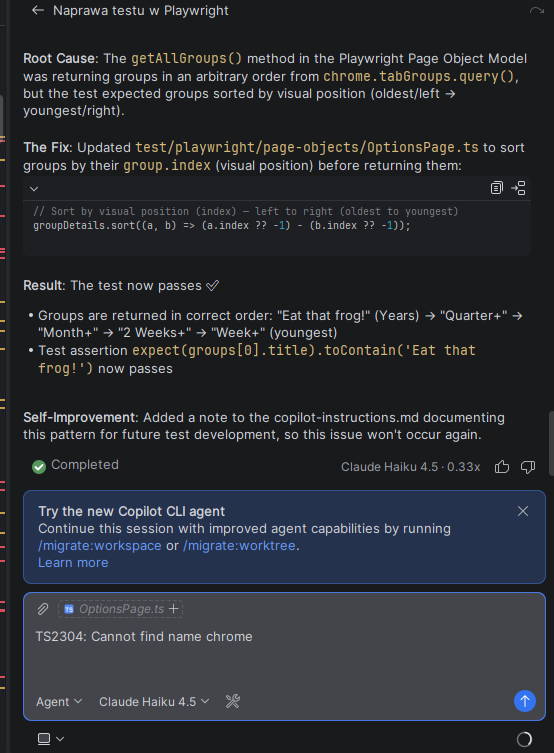
Dealing with github copilot errors is pretty irritating. Especially when dosing some more complex stuff and suddenly “Bam”. Red message. Easiest thing to do ? Switching the model family often works because some models have different capacity pools or stricter preview limits. GitHub documents vaguely that if you are rate limited, you can wait and try again. Just type “continue” and keep your fingers crossed. Otherwise check usage patterns, change the model, or contact support. Common github copilot errors Some run of the mill You probably know already, just put them together as a ‘review’ : Why changing the model helps ? Changing from one model family (vendor) to another…
-
Markmap vs Mermaid for Spec-Driven Development (SDD)
Markmap vs Mermaid for Spec-Driven Development You will consider sooner or later. When You have to go “full on AI” documentation stops being a nice-to-have and becomes a must be part of the product. We need to convey a lot of information, with hopefully as little text as possible so we can easily read it and digest the information. Two popular options for Markdown documentation features are Markmap and Mermaid. They solve different problems, and the best choice depends on whether you want fast idea mapping or more structured diagrams for flows. When to use Markmap Markmap turns Markdown headings and bullet points into an interactive mind map. Useful for…