-
How to fix, debug and improve your android tv with AI
The Power of AI-Assisted Hardware Debugging Got issues with Your android tv ? Tell copilot to connect to it, analize the lot and provide a feedback. It`s the gist. Longer explanation is that even if You have no idea You can try to utilize an LLmemes to do it for You. They already know the api, have some kind of documentation. Understand to use android debug bridge (adb) to get the proper data. Below what i got fixed and some examples of usage for LLM + ADB + prompt engineering to fix my crashing Youtube app on my Sharp Aquos Android TV. Even got some power saving recommendation and privacy…
-
Structure for instructions, agents and skills
This all is the provide a nice clean idea on how to store your files so You can make Your AI assistant / LLM network understand what and how to do. Acording to Your more or less strict rules. This should help You to achieve more repeatable results as expected. The problem : generic answer Do not confuse with generic functions, those rock ! Out-of-the-box, any LLM (here copilot) creates generic code. You could call it ‘vanilla’ flavour. It doesn’t know your conventions, library preferences patterns / anti patterns. This results in something that might work but is hard to maintain, totally different then the rest of the lot and…
-
How to reduce github copilot`s premium requests usage and maximize efficiency
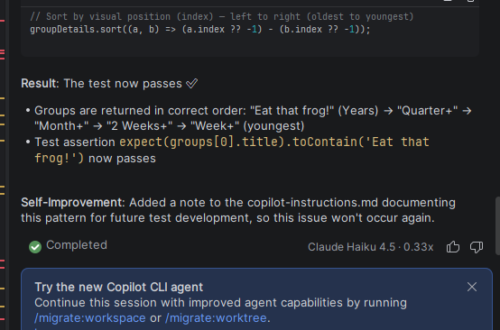
How to reduce github copilots premium requests usage and maximize efficiency ? Make a plan, a kaizen plan at best. Instruct precisely, cover edge cases, allow all tools to execute and pray the LLM will understand You. Want to share my simple methodology that not only can save money but also ease in and smoothen out the workflow. RTFM ! As always You could benefit from RTFM ! Reading the foqing / friendly / flopsy manual. I know You never read it cause real man don`t do it ( how about real woman ? ) ? God knows if gamers would not have to go through the tutorial, they would…
-
GIT token access issue – use special API url !
GIT token access issue will usually be that You are using a wrong url. When accessing files through the GitLab API using an access token you must use a special API URL, not the regular browser URL you see in firefox when navigating the repository. Using the standard browser URL will not work with API authentication tokens. Why Use the API URL? The regular repository URLs are designed for web browsers and do not support token-based authentication. (They could, but they just don`t :)) The GitLab API requires you to call its specific endpoints, which accept access tokens and return the raw file data or JSON metadata. URL Comparison Parameter…